


Substack opened the beta for Email Automations on August 26, 2026.
Five triggers. Two optional conditions. An estimated audience count that updates while you build.
If you have been running a Substack like a broadcast channel, this is the feature that lets you stop.
Here is the part most people will miss while they play with the templates. The email that turns a free reader into a paid one almost never goes out on publication day. It goes out on day 4 of their subscription, or the day after they read their fifth post, or the week before their annual renewal hits their card.
Publication day is when you talk to everyone. Automations are when you talk to one person at the exact moment they are ready to hear it.
Those are different jobs. Until now, Substack only did the first one well.
I am going to give you a crash course on the update. What actually changed, what the five triggers really mean in plain English, the condition logic that trips people up, seven automations in the order I would build them, and the mistakes that will cost you subscribers if you move too fast.
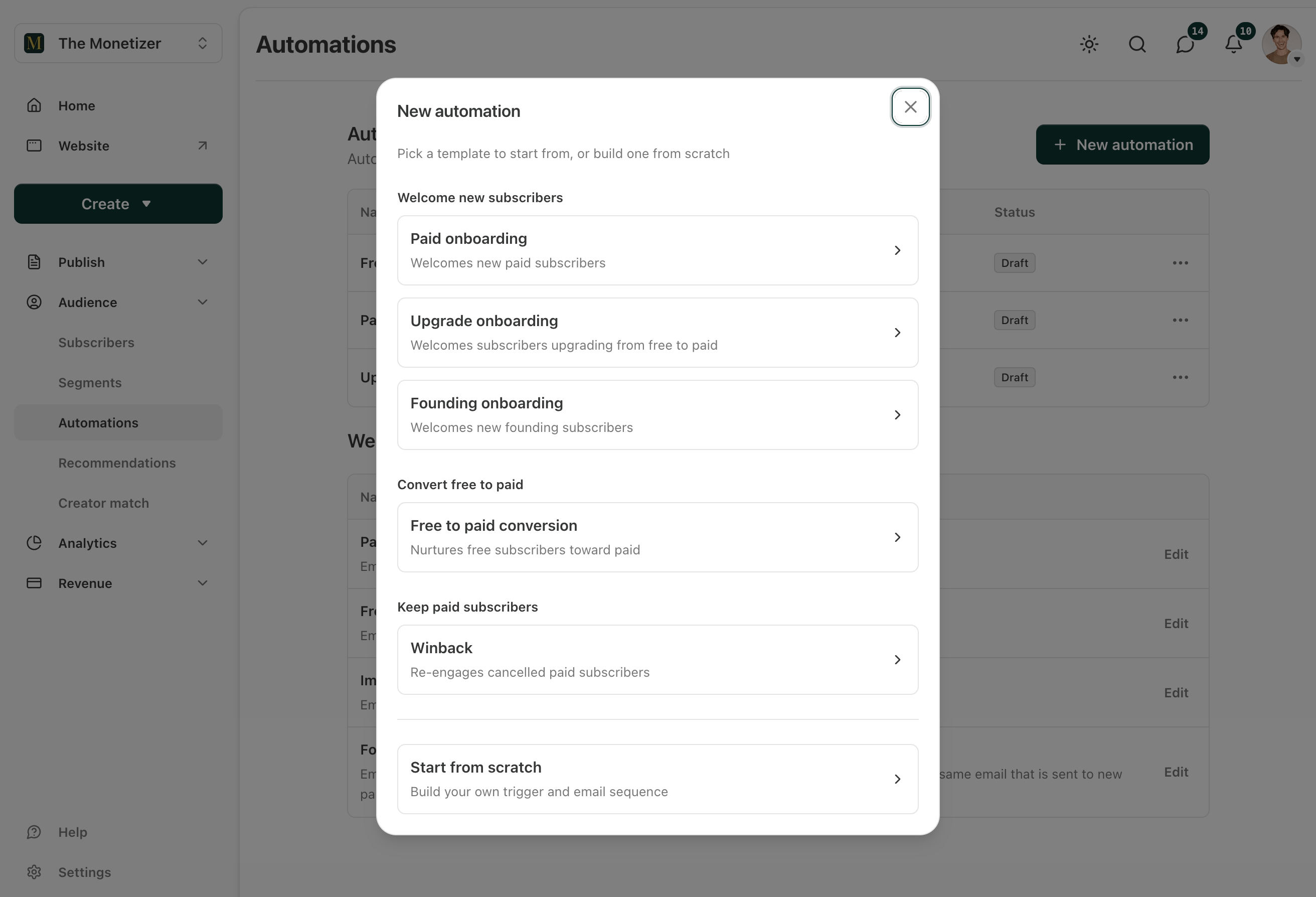
One note before we start. This is a beta. Substack said performance stats are not available yet and are next on their list, and the feature may not be in your dashboard the day you read this. Everything below is built on what Substack published in the announcement and their own support documentation. Where I am giving you my opinion instead of their spec, I say so.
What Actually Changed
Substack already had Drip Campaigns. You could send a sequence of emails at key subscriber moments, like when people joined, upgraded, or canceled.
That was a fixed set of doors. You picked one, and everyone who walked through it got the same emails.
Automations open the doors and add a bouncer.
Two things are new. You get more control over when a sequence fires, and you get control over who actually enters it. That second part runs on Segments and Tags, which Substack launched earlier.
Your existing drip campaigns are not affected. They move to the new Automations tab, and you can edit them there.
That is the update in three sentences. The interesting part is what you do with it.
The Five Triggers, In Plain English
A trigger is the event that starts the sequence. Substack lists five.
1. A subscriber joining, upgrading, or canceling.
The classic three. Someone subscribes free, someone goes from free to paid, someone cancels. Each one is a separate moment with a separate emotional state, and most publications treat all three with a single generic welcome email.
2. A reader reaching a new level of reading activity.
This is the one worth reading twice. It fires when a free reader crosses into a higher engagement tier.
Think about what that means. Somebody has been opening your emails and reading your posts. They have not paid you. Substack now tells you the moment their behavior says they might.
If you build only one automation this year, build this one.
3. A set amount of time passing after joining or a trial ending.
Time-based. Day 3 after signup, or a set window after a free trial ends. This is how you build a real onboarding runway instead of one welcome email that gets buried by lunchtime.
4. An upcoming annual renewal.
Annual subscribers pay once and then hear nothing for eleven months. Then a charge appears on their card and they try to remember why they signed up.
A renewal email that arrives before the charge, reminding them what they got that year, is one of the highest-value emails you will ever write. It costs you nothing and it protects revenue you already earned.
5. A subscriber being assigned a tag.
The flexible one. Tags are private labels you attach to subscribers. Only you can see them, and you can add unlimited tags per subscriber.
You add them three ways: on CSV import, by filtering your subscriber list and bulk-tagging the results, or one subscriber at a time.
Which means any list you can build outside Substack can now start an email sequence inside Substack. Workshop attendees. Course buyers. People who replied to your reader survey. Anyone you tag.
That is the trigger that makes this feel less like a newsletter tool and more like an actual email platform.
The Condition Layer
After you pick a trigger, you can add one optional condition to narrow who enters. You have two to work with.
A saved segment. A segment is a saved filter of your subscribers that updates itself as people match or stop matching. Substack lets you build segments from signup date, activity level, paid status, subscriber tags, and country.
A subscriber tag. The private labels above.
Three rules govern how these behave, and getting them wrong is where people will lose time.
Rule one: both conditions means both must be true. If you select a segment and a tag, subscribers have to match both to enter the automation. It is AND, not OR. Two conditions do not widen your reach. They shrink it, sometimes to zero.
Rule two: you only see conditions that make sense for your trigger. Substack does not show you a filter it cannot fill. If your trigger is “when a new free subscriber joins,” you will not see the segment filter, because the person has not existed long enough to land in a segment. You will still see the tag filter. Segment filtering shows up on triggers that involve existing subscribers.
Rule three: triggers and conditions lock once an automation starts. This is the one that will bite you. Substack is explicit: to try a different setup later, you duplicate the automation and edit the copy.
So the sequence you launch on Tuesday is the sequence you are running. Sketch it on paper before you build it.
One more thing that is quietly useful. As you make your selections, Substack shows an estimated audience size, so you know roughly how many subscribers that automation will reach. Use it as a sanity check. If you build a sequence and the estimate says zero, your conditions are fighting each other.
The Pattern That Makes This Worth Doing
Here is the technique from Substack’s own announcement that most people will scroll past, and it is the most useful idea in the entire release.
You can build a filtered and an unfiltered version of the same automation.
Say you want an email to go out to every new subscriber.
The filtered version targets a specific group. Subscribers who joined after coming to an event, for example. That email thanks them for attending, references the room, and picks up the conversation where it stopped.
The unfiltered version has no conditions attached. It catches everyone else who joins and does not match that tag. They get your standard welcome.
Nobody falls through. Nobody gets the wrong email. And the person who met you in real life gets an email that proves you remembered.
That is the model for good automation. Build the general path first so no one is orphaned. Then build specific paths on top of it for the audiences worth the extra work.
Most people will do it backward. They will build three clever tagged sequences, forget the catch-all, and quietly send nothing at all to sixty percent of new subscribers.
The 7 Automations I’d Build First
In this order. Each one has a trigger, a condition, and a job. I am giving you the structure and the reasoning. The delay between emails is yours to set based on your publishing rhythm.
1. The catch-all welcome
Trigger: A new free subscriber joins.
Condition: None. This is the floor.
Four emails across the first week. Each does one job.
Email 1, immediately: Deliver the promise they signed up for. Not your life story. The thing they came for. If your landing page said you write about newsletter monetization, email one gives them a monetization idea they can use before dinner.
Email 2, day 2: Proof. Your numbers, a student result, a documented outcome. Not bragging. Evidence that the advice in email one comes from somewhere real.
Email 3, day 4: A tactical win. Something small and complete. A template, a checklist, a specific fix. The goal is for them to do it and have it work.
Email 4, day 6: The paid offer. By now you have given them three useful things in six days. The ask is earned. Tell them exactly what is behind the paywall and exactly what it costs.
Build this one first even if you build nothing else. Every publication needs a floor.
2. The engagement upgrade
Trigger: A reader reaches a new level of reading activity.
Condition: Free subscribers only, if your setup allows it.
This is the biggest lever on the list, and it did not exist for most Substack writers a month ago.
A free reader who keeps showing up has already told you the answer. They like the work. They have just never been asked at the right moment.
Two emails.
Email 1: Name the behavior. “You have read the last few issues. That is more than most people do with anything in their inbox.” Then draw the line from what they have been reading to what is behind the paywall. Be specific about the difference. Not “more content.” Name the actual thing.
Email 2, three days later: One objection, handled. Pick the real one. For most creator-education newsletters, it is “I do not have time to use this.” So show them the smallest version of the system that still works, and then make the offer again in one sentence.
Do not run a five-email hard-sell sequence here. These are your best free readers. Ask twice, well, and let them come back on their own if the answer is no.
3. Paid onboarding
Trigger: A subscriber upgrades from free to paid.
Condition: None.
The moment somebody pays you is the moment they are most likely to regret it. Not because your product is bad. Because buyer’s remorse is a reflex.
Three emails.
Email 1, immediately: Confirm the decision and hand them the single best thing they now have access to. One link. Not a tour of everything.
Email 2, day 3: Show them the archive. Paid subscribers routinely forget that everything behind the paywall is already theirs. Point them at your three strongest posts by name.
Email 3, day 10: Ask a question and mean it. “What made you upgrade?” Replies to this email are the best copy research you will ever get, and Substack shows you those replies.
Retention is cheaper than acquisition. This sequence is retention.
4. Trial follow-up
Trigger: A set amount of time after a trial ends.
Condition: None.
If you offer free trials, the days around the trial ending are the entire game.
Two emails. One before the end, one after.
The one before reminds them what they used during the trial and what stops working tomorrow. The one after, for anyone who did not convert, gives them a single reason to come back and one link to do it.
Keep the second one short. Three sentences is plenty.
5. Annual renewal runway
Trigger: An upcoming annual renewal.
Condition: None.
The most underrated automation Substack shipped.
One email. Maybe two.
It arrives before the charge, and it is a receipt for the year. What you published. What changed. What is coming. Then a plain line telling them the renewal is coming and when.
This feels like it invites cancellations. It does the opposite. The alternative is a surprise charge from a publication they forgot they subscribed to, which produces a cancellation and a bad feeling. Reminding a happy subscriber why they are happy is not a risk. It is basic manners.
6. Winback
Trigger: A subscriber cancels.
Condition: Optional. A segment of former paid subscribers, if you want to narrow it.
Two emails, spaced out.
Email 1, a few days after: No pitch. One question. “Anything I could have done better?” People tell you the truth here, and the truth is worth more than the recovered subscription.
Email 2, three or four weeks later: One reason to come back. A specific new thing you published or built since they left. One link.
Do not beg and do not discount by reflex. A cancellation is information, not an emergency.
7. The tag sequence
Trigger: A subscriber is assigned a tag.
Condition: None needed, the tag is the condition.
This is where your outside world connects to your inside world.
Someone attends your workshop. You tag them. They get a follow-up with the replay, the next step, and one offer.
Someone buys your course. You tag them. They get a sequence that has nothing to do with your newsletter cadence.
Someone came in from a specific lead magnet. You tag them on import. They get a welcome that references the thing they actually downloaded instead of a generic hello.
Every one of those was a manual job last month. Now you tag and walk away.
Your Tag System Matters More Than Your Copy
Tags are unlimited, which means within six months you will have forty of them and no idea what half of them mean.
Fix that now with a naming convention. I use a source-detail-date shape:
event-2026-05-18-workshopcourse-monetizer-cohort-3import-leadmagnet-substack-checklistsurvey-replied-2026-q3And here are the three rules that will help you keep it organized.
Prefix by source, so tags sort into groups alphabetically.
Date anything that repeats, because next year’s workshop is not this year’s workshop.
Never create a tag you cannot explain in six months.
One more thing worth doing before you build a single automation: tag your existing list. Filter your subscriber dashboard by paid status, signup date, or country, select the results, and bulk-tag them. Segments update themselves dynamically, so they handle the ongoing filtering. Tags handle the facts a filter cannot know, like whether someone shook your hand at a conference.
The Mistakes That Will Cost You
Building the clever one first. The catch-all welcome is boring and it is the one that matters. Ship it, then get fancy.
Forgetting the unfiltered version. Every filtered automation needs a general sibling, or subscribers who do not match your condition get silence.
Stacking conditions without checking the estimate. Segment plus tag means both. Watch that audience number. If it drops to zero, you built a sequence for nobody.
Launching before you have sketched it. Triggers and conditions lock once the automation starts. Duplicating and editing a copy is not hard, but it is annoying, and doing it four times because you did not think it through is worse.
Overlapping sequences. If a reader hits your engagement upgrade trigger on Tuesday and your day-4 welcome email lands on Wednesday, they got two pitches in two days. Map your timing across automations, not inside each one.
Expecting data that is not there yet. Substack said plainly that performance stats for automations are not available yet. So track what you can see. Watch your paid subscriber count and your unsubscribe rate in the weeks after you turn a sequence on, and change one thing at a time.
The Math Nobody Runs
Here is arithmetic, not a promise. Your numbers will be different.
Take a publication with 5,000 free subscribers and a $10 monthly plan.
If 2% of those free subscribers upgrade, that is 100 paid subscribers and about $12,000 a year before Substack’s cut and payment processing.
Move that to 3% and it is 150 paid subscribers, roughly $18,000. Same list. Same posts. Same amount of writing.
That extra 1% is not a content problem. You do not fix it by publishing more. You fix it by asking the right hundred people at the right moment, which is precisely what a behavior trigger does.
Now add the back end. If your annual renewal email keeps ten subscribers from lapsing who otherwise would have, that is another $1,200 a year from one email you wrote once.
The reason this math looks fake to most people is that they are comparing it to their publishing effort. It is not the same kind of work. You write these emails one time. They run while you sleep, while you are on a plane, while you are writing next week’s post.
That is the actual argument for automations. Not that they are new. That they are the only part of your Substack that keeps working when you stop.
What I’d Do This Week
Six steps. None of them take a full day.
Open the Automations tab and confirm the beta is live in your dashboard. Your existing drip campaigns will be sitting there.
Write your tag naming convention before you create a single tag. Source, detail, date. Put it in a note.
Bulk-tag your existing list with anything a filter cannot figure out on its own. Event attendees, course buyers, people you know personally.
Build the catch-all welcome. Four emails, unfiltered, one job each. Ship it before you build anything else.
Build the engagement upgrade. Two emails, triggered on reading activity. This is the one that pays for the afternoon.
Sketch the other five on paper and build one per week. Triggers lock, so think first and click second.
That is roughly two hours of setup for the first two, and they run for the rest of the year.
The publications that will get the most out of this are not the biggest ones. They are the ones with a few thousand engaged free readers who have never been asked properly. Substack just handed you the moment to ask.
Automations are the smallest, cheapest version of that. Set them once. Let them work.