


Did you know Meta uses nine “secret” optimizations to find the videos that deserve organic distribution on Facebook?
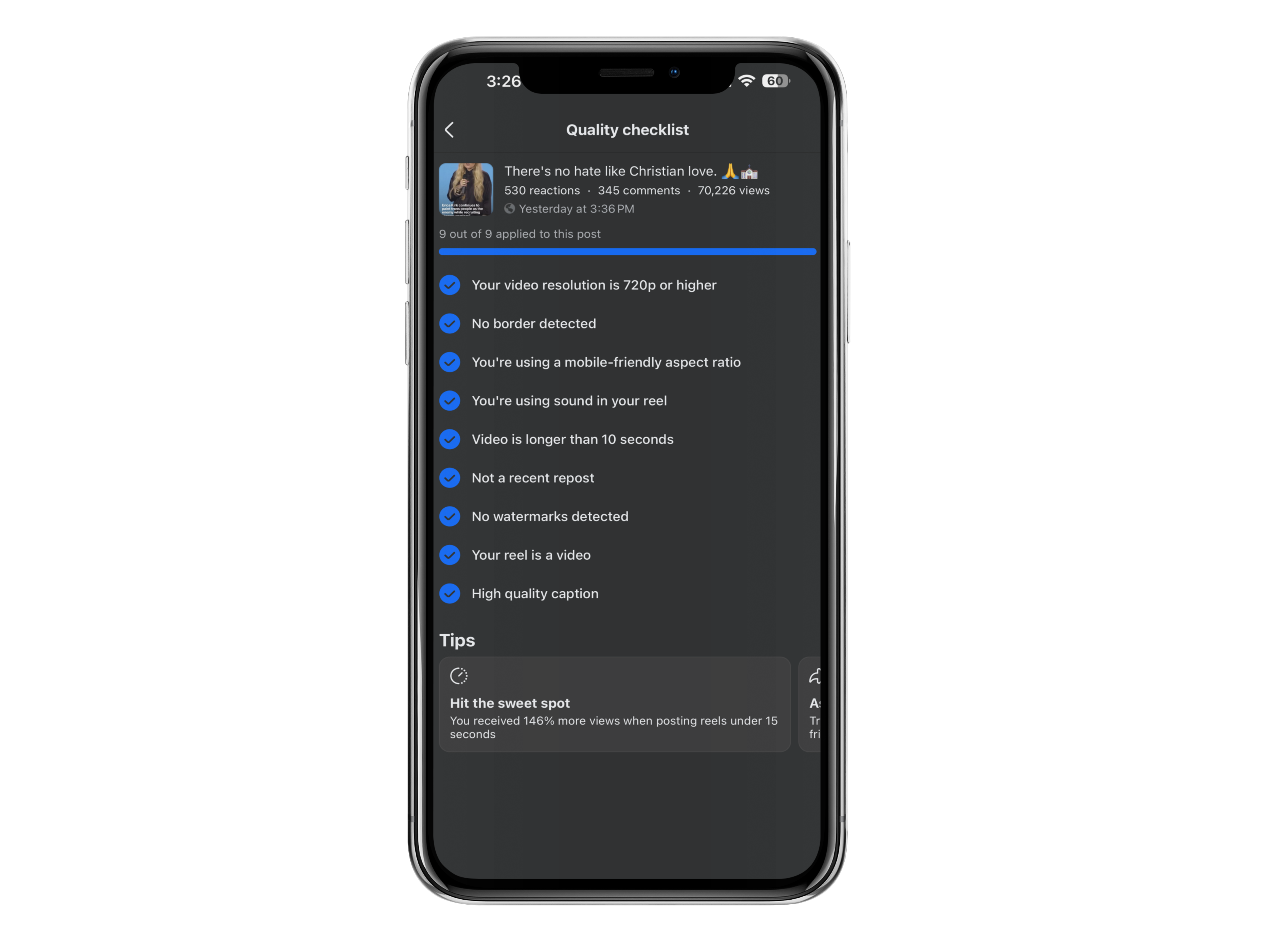
Facebook handed me a nine-point quality checklist after one of my Reels crossed 70,226 views. It passed all nine.
Let me be careful about what that means. Passing every check did not cause those views, and Facebook has never claimed it does. But the checklist tells you something a view count can’t, which is that somewhere in Facebook’s systems there’s a list of technical things it looks at on your video, and now you get to see the list.
The Reel also pulled 530 reactions and 345 comments. Good creative did that. The checklist just kept anything stupid out of the way.
I run a Facebook content business that does more than $20,000 a month. My process is boring. Create, publish, read the data, do more of what worked. This checklist turned up inside that loop.
Why It Pays to Optimize Facebook Reels Before Posting
Nobody’s guaranteed reach. Not me, not you, not the guy with two million followers. But a Reel that flops because the idea was weak teaches you something, and a Reel that flops because you exported a blurry file with a TikTok watermark in the corner teaches you nothing at all.
These nine items are Facebook’s own quality checklist. They’re not published ranking factors, and I’d be lying if I told you what weight any of them carry. Treat them as the floor.
1. Your Video Resolution Is 720p or Higher
Facebook checks that your uploaded video hits at least 720p.
Almost nobody fails this on purpose. You fail it by downloading your own video off another app, editing that copy, exporting it, and doing that twice more over a month. Every round trip squeezes the file. By the third pass your text has gone soft and faces have lost detail, and you won’t notice on a laptop because laptops are forgiving.
Phones aren’t. Open your export and your original side by side on your phone. If the export looks worse, go again at a higher setting.
2. No Border Detected
This one’s labeled “No Border Detected.” In practice that’s black bars, white frames, a horizontal clip parked in the middle of a vertical canvas, a screenshot floating in empty space.
Borders usually mean the video was built somewhere else and dropped in without being rebuilt. People notice. They can’t always tell you what’s wrong, but the thing reads as secondhand.
Don’t fix it by stretching until everyone looks distorted. Crop, reframe, rebuild the layout. If you shot horizontal, punch in and follow the subject.
Try this: pause on the first frame. Bar or border anywhere, reframe before you post.
3. You’re Using a Mobile-Friendly Aspect Ratio
Almost everyone watching is holding a phone, and Facebook checks that your video was built for one.
Vertical, full screen. That part’s easy. Placement is where people slip, because Facebook’s interface sits on top of your video. The caption, your profile name, the buttons, the audio strip. Any of it can land on the words you needed read.
So keep your headline, key captions, faces, logos and any call to action in the middle of the frame, and give yourself real room top and bottom rather than the few pixels you think you can get away with. Watch it on your phone before posting. If a word is sitting behind a button, move it.
4. You’re Using Sound in Your Reel
Facebook detected sound. That’s the whole check.
Sound can be narration, dialogue, music, room tone, effects, a mix. Nothing here says you need trending audio. Pick sound that supports the idea instead of fighting it.
Volume is what ruins good Reels. If someone has to strain to hear you under a track, the track is too loud. Voice on top, music underneath.
Then plan for silence, because a lot of people start watching muted and never turn it on. Captions whenever speech carries the meaning. Watch it once with the sound off, and if you can’t follow it, your captions aren’t done.
5. Your Video Is Longer Than 10 Seconds
The checklist credited my Reel for running longer than 10 seconds.
That’s not a rule that every Reel has to be long, and I want to be honest that this is my read rather than anything Facebook said. Very short clips don’t leave room to land much. Ten seconds is roughly what a hook, a little context and a payoff need.
So build that shape. Open with the reason to stay, give enough context for the point to make sense, then hand over something the viewer can use.
What you shouldn’t do is stretch a thin idea to hit a number. Padding is obvious and people leave. If your idea is genuinely eight seconds long, either give it more substance or make it something else.
Try this: say the Reel out loud with a timer going. Under 10 seconds means you need context, not filler.
6. It Is Not a Recent Repost
Facebook noted my Reel wasn’t something I’d recently reposted.
This one is really a strategy check. Recycling the same file forever gives your audience nothing new and teaches you nothing either, because you can’t read your data when every test is the same test.
Keep a library. Reuse your best topics, absolutely, a good idea deserves more than one shot. Just make the new version new. Change the hook. Update the numbers. Record a fresh voiceover. Land somewhere different at the end.
I’m not telling you to make cosmetic tweaks to sneak past a system. That wastes your time and insults your audience’s intelligence. Repeat proven topics, not identical uploads.
7. No Watermarks Detected
Facebook checks your Reel for visible watermarks. Think about where those come from. Another platform’s logo, a username burned into a corner, editing app branding, template marks, download icons, leftover interface bits.
The screenshot tells me Facebook looks. It doesn’t tell me a watermark kills reach, and I’m not going to pretend it does. What I’ll say is that clean video looks native, and native looks like it belongs.
The real fix is upstream. Save a clean master before you post anywhere, then distribute from that. Costs you a minute.
Try this: scan all four corners of the export. Anything on screen naming an app that isn’t Facebook, go back to the master.
8. Your Reel Is a Video
Reads obvious. It’s a playback and format check, and it catches real mistakes.
Make sure you uploaded a working video that plays and has some intentional movement in it. Nothing in the checklist says stills are off limits. But one unmoving image sitting there for 20 seconds is a slideshow with delusions, and people scroll straight past.
Using stills? Do the editing work. Movement, slow zooms, transitions, on-screen text, narration, pacing.
And play the whole export once, start to finish, at full attention. Frozen frames, dead audio, blank sections and export errors love the back half of a video where nobody’s looking.
9. High-Quality Caption
Facebook labeled my caption high quality. It doesn’t say what that means, and I’m not going to invent a formula it never gave me.
Here’s what works for me. Clear first line, since that’s often all anyone sees. Context the video doesn’t cover. Plain words, the ones your audience already uses. Skip the clutter, the unrelated hashtags, the engagement bait.
Weak: “New reel! Let me know what you think 👇 #reels #viral #contentcreator #fyp”
Better: “Three things I check on every Reel before I post it. The second one takes ten seconds and costs nothing.”
The video still has to carry the value. A caption strengthens a good Reel and cannot rescue a confusing one. Read yours without watching the video, and if it makes no sense alone, rewrite the first line.
The Interesting Sweet Spot Facebook Showed Me
Facebook also served me a personalized tip in my dashboard. I got 146% more views posting Reels under 15 seconds.
Be precise about what that is. It came from my account, my content, my audience. It’s not a universal benchmark and it’s no proof that every creator should cap every Reel at 15 seconds. Your dashboard might say the opposite, which is exactly why you should go look at yours.
The two signals together interest me. The checklist rewards clearing 10 seconds. My data likes staying under 15. That leaves a window of roughly 11 to 14 seconds for simple, one-idea Reels.
Hypothesis, not a formula. And only for simple ideas, because a tutorial or a story or an argument that needs room shouldn’t get butchered to fit an arbitrary length. Let the data pick the format. Don’t let it wreck the content.
My 60-Second Facebook Reel Check
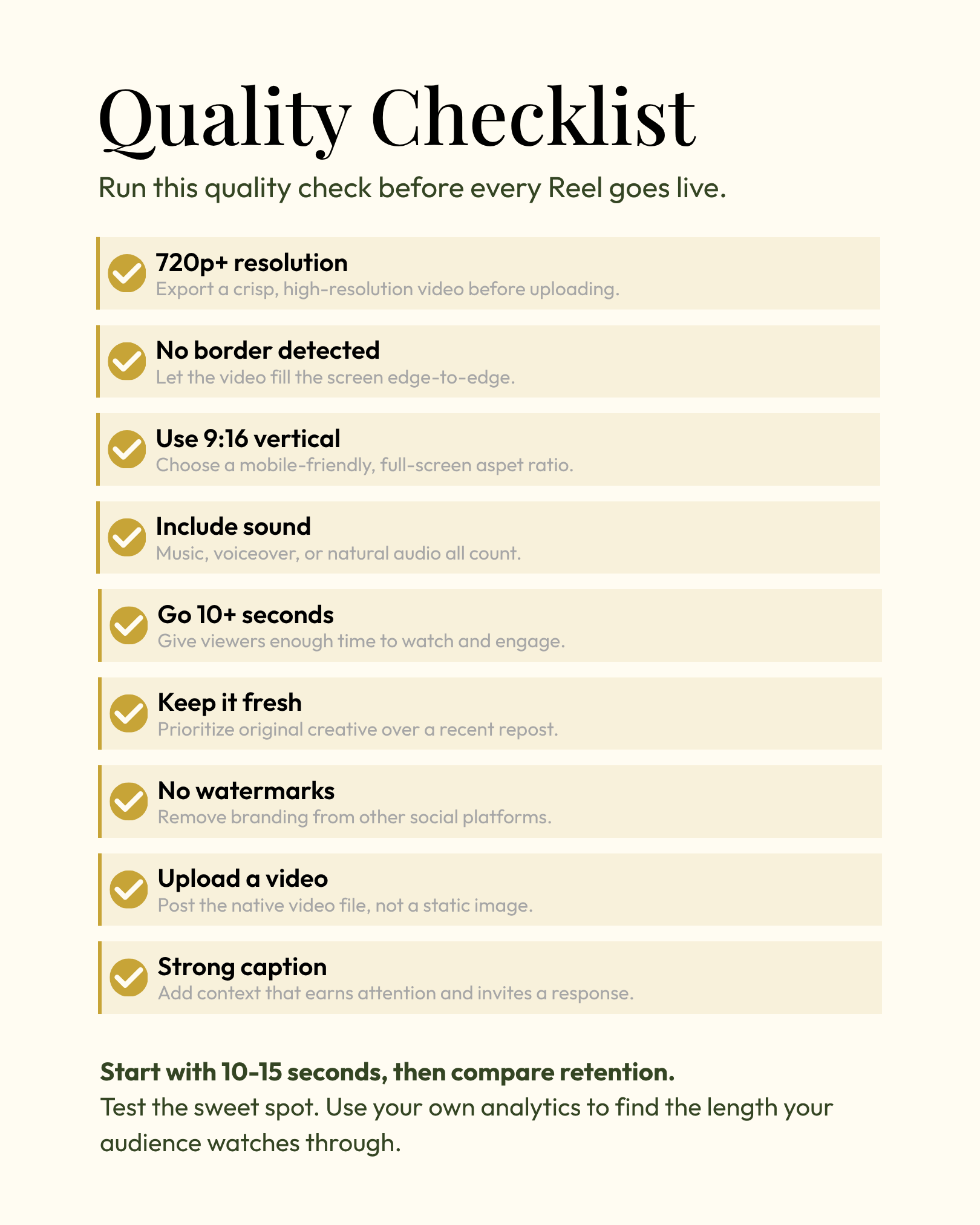
Run this before you publish.
Video looks clear and sharp on a phone.
No black bars, white frames or borders.
Vertical, full screen, nothing important hidden behind the interface.
Sound plays, voice above the music, captions carry it when muted.
Longer than 10 seconds without padding.
Not a duplicate of something I posted recently.
No outside watermarks, usernames or app branding.
Full export plays start to finish with no errors.
Caption adds context the video doesn’t.
Then the one that matters. Would I stop scrolling for this?
If the answer is no, the other nine don’t save you.
Create, Test, Track, Repeat
Optimization can’t rescue boring content. Hear that clearly, because plenty of people online will sell you the opposite.
Good content loses momentum over preventable stuff all the time. A compressed file. A border from another app. A caption that says nothing. You already did the hard part. Don’t let a two-minute export mistake bury it.
You’re not chasing a perfect Reel. You’re clearing the avoidable problems so your real ideas get a fair test, then reading what happened and making more of what worked.

That loop built my Facebook business, and I teach the whole system inside the Facebook Monetization Masterclass, including how creators work toward Facebook Content Monetization.
If you are earlier than that, subscribe to The Monetizer instead. I publish what is actually working in my business, with the numbers attached.